Distance Education Icons: Pixel Perfect for Any Theme
Building a cohesive visual identity for an online learning platform or educational app involves more than just choosing a color palette. Every button, menu, and interactive element needs to feel part of the same family, creating an intuitive and trustworthy experience for students and educators alike. This is where a thoughtfully crafted icon set becomes invaluable, moving beyond mere decoration to become a fundamental part of your user interface language.
A Dual-Theme Approach for Modern Interfaces
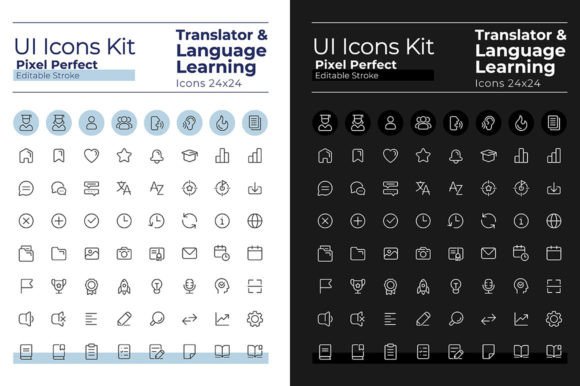
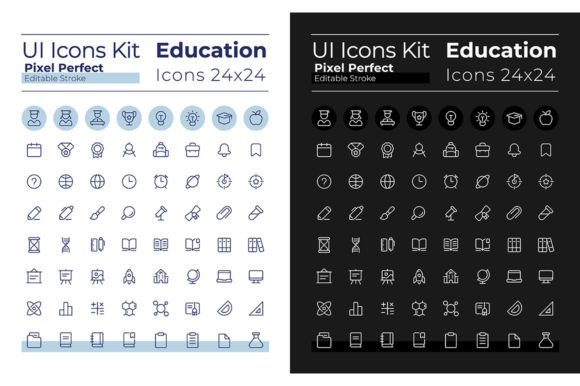
The "Distance Education Pixel Perfect Icons" set is designed with the realities of modern digital products in mind. Users frequently switch between light and dark modes for comfort, battery life, or personal preference. A single icon style that only works on a white background quickly becomes a liability. This collection addresses that challenge directly by providing two complete, parallel sets: one optimized for dark mode and another for light mode. Each icon is meticulously crafted to maintain perfect clarity, legibility, and visual weight across both themes, ensuring your design feels polished and intentional in any setting.
The linear style is clean and contemporary, avoiding unnecessary complexity. This minimalist approach ensures the icons scale beautifully, whether they're used as small interface elements in a mobile app or as larger graphic components in a presentation. The editable stroke feature is a significant practical advantage, allowing designers to adjust line weight to match specific brand guidelines or to achieve the right level of visual emphasis within a layout.
From Interface Elements to Brand Assets
While the primary purpose is user interface design, the utility of a well-designed icon set extends far beyond the confines of an app or website. Consider how these pixel-perfect icons can be integrated into broader creative projects:
- Brand Identity & Style Guides: Use the icons consistently across all brand touchpoints to reinforce identity. A set of icons representing "live sessions," "course modules," "assignments," and "certificates" can become recognizable visual shorthand for your educational brand.
- Marketing & Social Media Graphics: Create eye-catching social media posts, story highlights, and ad banners. The icons can illustrate concepts in infographics, make carousel posts more scannable, or serve as simple, effective visuals for promoting new courses or features.
- Presentation & Editorial Design: Elevate slide decks, reports, and educational materials. Instead of generic clip art, use these purpose-built icons to visually organize information about learning paths, platform features, or student success metrics in brochures and annual reports.
- Digital Products & Merchandise: Incorporate the icons into the design of printable planners for students, digital stickers for notes, or even simple merchandise like notebook covers or t-shirts for an educational community or student club.
The included Montserrat font pairing is a strategic choice. Montserrat is a versatile, geometric sans-serif typeface known for its excellent readability and modern aesthetic. Using the Bold weight for headings and the Light weight for body text creates a clear visual hierarchy that complements the clean lines of the icons. This built-in typographic guidance helps maintain visual consistency across all your communications.
Practical Considerations for Implementation
When integrating these assets into your workflow, a few practical steps can maximize their impact. First, audit your project's needs. Which specific icons best represent your core features or content categories? Consistency is key—using the same icon for the same concept across all platforms builds user familiarity and trust.
Second, leverage the file formats provided. The vector formats (EPS, SVG, AI) are essential for any design work that may need to scale, such as print materials or high-resolution displays. They allow for infinite resizing without quality loss and easy color customization. The raster formats (PNG, JPEG) are ready for use in presentations, social media graphics, and web layouts where vector editing isn't necessary. The PNGs with transparent backgrounds are particularly useful for layering over other visual elements.
Finally, always consider the licensing. These icons are provided for both personal and commercial use, which is crucial for entrepreneurs, small businesses, and freelancers. This clarity allows you to use them confidently in client work, on products for sale, and in monetized content without worrying about legal restrictions. It's a detail that professional creators appreciate, as it removes a potential hurdle from the creative process.
Building a Cohesive Visual Language
Ultimately, the goal of any design asset is to solve a problem. For educators, course creators, and edtech developers, the problem is often communicating complex ideas simply and building a professional, approachable brand image. A dedicated icon set like this one acts as a foundational tool. It saves countless hours that would otherwise be spent searching for or commissioning individual graphics, and it guarantees a level of visual harmony that piecemeal solutions rarely achieve.
By providing a complete system for both light and dark interfaces, along with matching typography, this collection empowers creators to build digital experiences that are not only functional but also visually refined and deeply consistent. It’s about giving your educational platform or content the professional polish it deserves, helping to engage your audience and elevate the perceived value of what you offer.